Showing posts with label Bulk Listing Tool. Show all posts

Creating and Sharing Bulk CSV Files and Outsourcing Listings with Delimiti


Creating and Sharing Bulk CSV Files and Outsourcing Listings with Delimiti:

Here's how you can use Delimiti to create and share bulk CSV files with your team and outsource listings to virtual assistants:

1. Setting Up Delimiti:

  • Create an account: Visit https://delimiti.com/ and sign up for an account. This will give you access to the platform's features.
  • Create a data template: Define the structure of your data by creating a template. This includes specifying the headers (column names) and data types (e.g., text, number, date) for each column.
  • Prepare your data: You can either manually enter your data into the template or upload an existing CSV file. Delimiti also allows you to import data from various sources like Google Sheets and Excel.
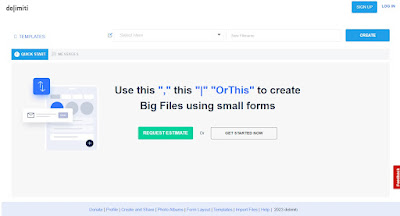
    delimiti

2. Collaborating with your team:

  • Invite team members: Share your data template with your team members by inviting them to your Delimiti workspace. This allows them to view, edit, and collaborate on the data in real-time.
  • Assign roles and permissions: You can control access levels by assigning different roles and permissions to your team members. This ensures that only authorized users can perform specific actions on the data.

3. Outsourcing to Virtual Assistants:

  • Prepare instructions: Create clear and detailed instructions for your virtual assistants outlining the listing process, including specific details about how to use Delimiti for data entry or editing.
  • Share access and instructions: Grant your virtual assistants access to the shared template and provide them with the prepared instructions. This ensures they understand the task and can work efficiently within the platform.
  • Monitor progress and communicate: Utilize Delimiti's collaboration features to track progress, communicate with your virtual assistants, and answer any questions they may have.

Additional notes:

  • Delimiti offers various features for data validation, filtering, and exporting, which can be helpful for managing your data effectively.
  • Consider using project management tools alongside Delimiti to further organize your workflow and communication with your virtual assistants.
  • It's important to establish clear communication and expectations with your virtual assistants to ensure successful project completion.

Remember: While Delimiti can be a valuable tool for managing bulk CSV files and collaborating with your team, it's crucial to ensure you comply with any relevant data privacy regulations and obtain necessary consent when sharing data with virtual assistants.


Create .CSV Files for eBay using Delimiti

Create .CSV Files for eBay using Delimiti

I will walk you through the process of generating .csv flat files specifically tailored for your eBay store utilizing the platform Delimiti.com.

To begin creating .CSV flat files for eBay with Delimiti.com, carefully adhere to the subsequent instructions:

  1. First and foremost, navigate to Delimiti.com and proceed to register for an account if you haven't done so already.

  2. Upon successful login, navigate to the Template Administration Page.

  3. Subsequently, either import an existing template or create a new one, granting you the ability to customize the available options.

  4. Input all the requisite details for your eBay listing, including but not limited to the item title, description, price, quantity, and any other pertinent information.

  5. Utilize the delimiter choices offered by Delimiti.com to segregate the various fields within your CSV file effectively.

  6. Once all the necessary information has been inputted, finalize the process by clicking on the "Save" button to safeguard your file.

  7. Subsequently, proceed to download the CSV file onto your local machine and subsequently upload it to eBay to commence listing your items for sale.

By meticulously following these outlined steps, you will be equipped to effortlessly generate CSV flat files tailored for eBay utilizing the services of Delimiti.com.

A Free Bulk Listing Tool for eBay Sellers

A Free Bulk Listing Tool for eBay Sellers

Delimiti is the easiest way to upload bulk listing on eBay store. This tool is great for sellers who want to upload multiple items in bulks. The tool enables sellers to export their listings from seller store and then use the bulk uploading feature to create multiple listings in few clicks.

Delimiti.com a free bulk listing tool

1. Sign up and log in:

Visit the https://delimiti.com/signup.php sign up for an account if you haven't already. Log in to your account to access the listing tool.


2. Prepare your data:

Organize your listing information in a format that can be easily imported into the delimiti.com tool. This may involve creating a spreadsheet or CSV file containing the necessary details for each listing, such as item titles, descriptions, prices, shipping information, and other relevant attributes.


3. Import your data:

Locate the import or upload feature. This will typically allow you to select your prepared spreadsheet or CSV file and import it into the tool's interface. Follow the provided instructions to map the columns of your file to the corresponding listing fields in delimiti.com.


4. Review and edit listings:

You will likely have the opportunity to review and edit the listings within the delimiti.com tool. This may involve making adjustments to the listing titles, descriptions, images, pricing, shipping settings, or any other relevant details.


5. Bulk list your items:

After reviewing and editing the listings, select the option to bulk list your items. The tool have a feature that allows you to publish all the listings to eBay simultaneously. Follow the prompts and confirm the bulk listing action.


6. Monitor and manage your listings:

Once the bulk listing process is complete, you can monitor and manage your listings within the delimiti.com tool or directly on eBay. This may involve tracking sales, responding to buyer inquiries, adjusting prices, or making any necessary updates to the listings.

Create CSV Files for Alibaba Etsy and eBay

Informative Video for Sellers to Create Files for your Alibaba Seller Account, Etsy Store or eBay Shop.


How to add Photo Album URLS to Bulk eBay CSV Files

How to add Photo Album URLS to Bulk eBay CSV files

Sign up Delimiti and add Items photo album URLS to your bulk ebay .CSV files using iCloud and Google Photos.


5 Tips to Choose Best Bulk Listing Tool for eBay Store

As the largest online retailer in the world, eBay is a formidable competitor. But we’re confident that your products will stand out if you take advantage of eBay selling tools.

To make the best choice in an eBay bulk listing/editing tool, e-commerce store owners need to take into account a few different factors to ensure they're getting the tool that will help them manage their large number of listings quickly and easily.

When choosing an eBay bulk listing tool, there are 5 Tips to Choose Best Bulk Listing Tool for your needs.

5 Tips to Choose Best Bulk Listing Tool for eBay Store

1.   Does the tool add photo album URLS to your bulk CSV files using iCloud and Google Photos

2.   Does the tool Create New File from existing

3.  Does the tool Merge fields option from PDF form to Word to create large documents

4.   Does the tool have  PDF to Word Document Automation Feature

5.   Does the tool have  Custom Search Option

Consider all above 5 factors to choose the best bulk listing tool for your eBay Store.

 I am going to recommend you totally Free and Modern solution for bulk product listing with lot of new features.

That is Delimiti.com a best Bulk Listing Tool for eBay Store for sellers to import data into CSV files and use it to product list on eBay, Etsy, Amazon and other online marketplaces.


delimiti

They provide easy-to-use tools that enable you to create a CSV file for various eCommerce platforms. This saves you hours of time spent on manually creating and uploading these files every time you want to list a new product.